
Best Microsoft Tablets in 2026: 12 Picks Compared on Specs
The Surface Pro line dominates the Microsoft tablet catalogue. In this guide, the Surface Pro 2026 OLED is the top pick: it pairs a 13-inch 3K 120Hz OLED touchscreen with a Snapdragon X2 Elite AI processor, Windows, pen support and 512GB or more of storage. The other 11 picks are compared on the specifications the sellers list, not physical testing. Prices shown on the product cards are live from the store listing and refresh with the page.
12 picks from 20 tablets that match this guide with a price we can quote today. All prices are live and show when they were read.
Our picks in brief
Find your match
- For Windows note-takers: If you want Windows plus pen input and a keyboard bundled, the Surface Pro 11 Copilot PC Bundle covers all three in one listing. See pick 2
- For mobile professionals: With 5G in the listing and Windows plus 512GB or more of storage, the Surface Pro 11 5G is the pick when you need to stay connected away from Wi-Fi. See pick 4
- For creative-screen fans: The Surface Pro 2026 OLED pairs a 3K 120Hz OLED screen with pen support, making it the display-first choice for drawing and media work. See pick 1
- For IT-led rollouts: A Windows 11 Pro listing on a 13-inch 2-in-1 makes the Surface Pro for Business the straightforward pick for managed deployments. See pick 3
12 picks, up close
1 Best overall

Microsoft Surface Pro 2026
- Screen size
- 12 in or more
- Storage
- 512 GB or more
- Operating system
- Windows
- Pen included
- Yes
The 13-inch OLED 2-in-1 is the only pool entry that combines a 3K 120Hz OLED touchscreen with a Snapdragon X2 Elite AI processor, Windows, pen support and 512GB or more of storage. That combination makes it the strongest all-around Surface Pro in this guide.
Pros
- 13-inch 3K 120Hz OLED touchscreen
- Snapdragon X2 Elite AI processor
- Windows with pen support
- 512GB or more storage
Cons
- Keyboard not stated by the seller
- No cellular modem in the listing
- Exact weight and battery life not stated by the seller
Good fit if
- Users who put display quality first in a Windows tablet
- Pen users who want a current-generation Surface Pro
Skip if
- People who need a detachable keyboard included in the same listing
- People who require built-in 5G or LTE
Verdict: The Surface Pro 2026 OLED is the pick when a bright, high-refresh OLED screen matters as much as current Snapdragon silicon.
2 Best bundled keyboard and pen

Microsoft Surface Pro 11 Copilot PC Bundle
- Screen size
- 12 in or more
- Storage
- 512 GB or more
- Operating system
- Windows
- Pen included
- Yes
- Keyboard included
- Yes
This is the only pick that lists a Surface Pro Flex Keyboard and Slim Pen in the same bundle, alongside Windows, pen support and 512GB or more of storage. It removes the need to assemble a separate keyboard and pen setup for a 13-inch Surface Pro.
Pros
- Bundle includes Surface Pro Flex Keyboard and Slim Pen
- Windows
- 13-inch 2.8K touchscreen listed
- 512GB or more storage
Cons
- Screen refresh rate not stated by seller
- No LTE or 5G in the specs
- Only one bundle colorway listed
Good fit if
- Typing-heavy note-takers who want accessories on day one
- Users moving from a laptop to a detachable Surface Pro
Skip if
- Anyone who already owns a Flex Keyboard or Slim Pen
- Buyers who need a 1TB internal drive
Verdict: Choose this bundle when you want a Surface Pro and its keyboard and pen in one order.
3 Best Windows 11 Pro for business

Microsoft Surface Pro for Business 2-n-1 Laptop/Tablet
- Screen size
- 12 in or more
- Storage
- 256 GB
- Operating system
- Windows
$1,879.14 (as of 11/02/2026 00:05 PST - Details)
The listing says Windows 11 Pro on a 13-inch 2-in-1, which makes it the straightforward choice for workplaces that standardize on the Pro edition. Its 256GB storage is less than the 512GB-plus picks, but that matches a managed-device profile where data often lives in the cloud.
Pros
- Windows 11 Pro
- 13-inch touchscreen 2-in-1 form factor
- Copilot+ PC label in the listing
Cons
- 256GB storage, smaller than the 512GB-plus picks
- Pen and keyboard not stated by seller
- No cellular option in the specs
Good fit if
- IT teams that require Windows 11 Pro on employee devices
- Users who work from cloud storage more than local files
Skip if
- Users with large local media or design libraries
- People who want pen and keyboard included
Verdict: A dependable Windows 11 Pro pick for managed fleets and companies that need 2-in-1 flexibility.
4 Best 5G connectivity

Microsoft Surface Pro 11 5G Cp 512Gb 13"/Plus/16Gb Platin W11P
- Screen size
- 12 in or more
- Storage
- 512 GB or more
- Operating system
- Windows
- Cellular
- Yes
$4,903.00 (as of 11/02/2026 00:05 PST - Details)
The product name names 5G, Windows, a 13-inch display and 512GB or more of storage, with 16GB memory in the same listing. For mobile workers who need a connection outside Wi-Fi, this is the 5G Surface Pro in the pool.
Pros
- 5G in the product name
- Windows
- 13-inch display with 512GB or more storage
- 16GB memory in the listing
Cons
- Keyboard and pen are not included based on the listing
- Screen resolution and refresh rate are not stated by the seller
- Only one color and one memory/storage combination are listed
Good fit if
- Business travelers who need 5G outside Wi-Fi
- Remote workers on long commutes
Skip if
- Users who never leave Wi-Fi
- Buyers who prefer to add their own accessory kit
Verdict: Pick the Surface Pro 11 5G when cellular connectivity is a required part of your Windows tablet.
5 Best Intel LTE configuration

Microsoft Surface Pro 10 5G Intel Core Ultra 7 LTE 256 GB 33 cm
- Storage
- 256 GB
- Operating system
- Windows
- Cellular
- Yes
This is the Intel pick with cellular in the pool, combining an Intel Core Ultra 7 label, LTE, Windows and 256GB storage on a 13-inch panel. It suits users who want Intel compatibility and LTE in the same Surface Pro.
Pros
- Intel Core Ultra 7 in the listing
- LTE cellular
- Windows
- 256GB storage and 16GB memory in the listing
Cons
- 256GB storage leaves less local room than 512GB-plus picks
- Screen resolution not stated by seller
- LTE listed rather than 5G
Good fit if
- Users who want Intel x86 compatibility in a cellular Surface Pro
- Field workers who need LTE coverage today
Skip if
- Users who need a 512GB or larger internal drive
- People who want 5G rather than LTE
Verdict: The Intel Surface Pro 10 with LTE is the pick when Intel compatibility and cellular matter together.
6 Best 12-inch Snapdragon X2 Plus

Surface Pro, 12-inch
- Screen size
- 12 in or more
- Storage
- 512 GB or more
$1,249.99 (as of 11/02/2026 01:21 PST - Details)
For users who want a smaller Surface Pro with the newer Snapdragon X2 Plus chip, this listing fits: the product name says 12-inch, Snapdragon X2 Plus, 16GB memory and 512GB storage. It is one of the pool entries that explicitly lists a 12-inch screen.
Pros
- 12-inch form factor in the listing
- Snapdragon X2 Plus in the listing
- 16GB memory and 512GB or more storage
- Violet finish option
Cons
- Operating system not stated by seller
- Keyboard and pen not stated by seller
- Screen resolution not stated by seller
Good fit if
- Users who prefer a more portable 12-inch Surface Pro
- Shoppers who want the Snapdragon X2 Plus generation without a 13-inch chassis
Skip if
- Anyone who must have Windows stated in the specs
- Users who want a 13-inch display
Verdict: This 12-inch Surface Pro is the compact route to Snapdragon X2 Plus hardware.
7 Best Wi-Fi 7 pick

Microsoft Surface Pro 12 Qualcomm Snapdragon 512 Gb 30.5 Cm
- Storage
- 512 GB or more
- Operating system
- Windows
$3,952.00 (as of 11/02/2026 00:05 PST - Details)
The listing names Wi-Fi 7, a 12-inch screen, 16GB memory and 512GB storage with a Qualcomm Snapdragon processor on Windows. It is the forward-looking choice for users who already have or plan a Wi-Fi 7 router.
Pros
- Wi-Fi 7 in the listing
- Windows
- 12-inch screen with 16GB memory and 512GB or more storage
- Qualcomm Snapdragon processor in the listing
Cons
- Screen resolution not stated by seller
- No LTE or 5G cellular in the specs
- Exact Snapdragon model not stated in the structured specs
Good fit if
- Home users with Wi-Fi 7 networks
- Mobile users who want the latest wireless standard
Skip if
- Anyone needing cellular connectivity
- Those who require the seller to state the exact panel specification
Verdict: Choose the Wi-Fi 7 Surface Pro 12 listing when fast home wireless matters more than cellular.
8 Most storage

Microsoft Surface Pro 10 Tablet
- Screen size
- 12 in or more
- Storage
- 512 GB or more
$2,835.74 (as of 11/02/2026 00:05 PST - Details)
This Surface Pro 10 carries 32GB memory and a 1TB SSD, the largest internal drive in the pool, plus a 13-inch display and vPro Technology in the listing. It is the pick when local room for large files matters more than the newest display tech.
Pros
- 1TB SSD, highest storage in this guide
- 32GB memory
- 13-inch display
- vPro Technology in the listing
Cons
- Operating system not stated by seller
- No keyboard or pen listed
- Display type not stated by seller
Good fit if
- Users who keep big offline libraries on a Windows tablet
- Developers and analysts who need 32GB RAM
Skip if
- Users who prefer the OLED panel of newer Surface Pro models
- Anyone who wants the Windows edition confirmed in the specs
Verdict: This Surface Pro 10 is the high-storage, high-memory option in the pool.
9 Best Windows 11 Pro with 32GB RAM

Microsoft Surface Pro 10 Tablet
- Screen size
- 12 in or more
- Storage
- 512 GB or more
- Operating system
- Windows
$2,699.00 (as of 11/02/2026 00:05 PST - Details)
Among the 32GB Surface Pro 10 entries, this one states Windows 11 Pro, a 13-inch display and 512GB storage. It is the most complete high-memory configuration that names its operating system.
Pros
- Windows 11 Pro stated
- 32GB memory
- 13-inch display
- 512GB or more storage
Cons
- No pen or keyboard listed
- No cellular option in the specs
- Panel type not stated by seller
Good fit if
- Workflows that need 32GB RAM and Windows 11 Pro
- Users who want high memory with mid-size storage
Skip if
- Users who need 1TB internal storage
- People who require a bundled pen
Verdict: Pick this Surface Pro 10 when you want 32GB RAM and Windows 11 Pro in one listing.
10 Best 256GB Surface Pro 10 configuration
Microsoft Surface Pro 10 Tablet
- Screen size
- 12 in or more
- Storage
- 256 GB
$2,399.00 (as of 11/02/2026 00:05 PST - Details)
This Surface Pro 10 pairs 32GB memory with a 256GB SSD on a 13-inch display, a useful midpoint for cloud-first users. It is the leanest of the three 32GB Surface Pro 10 entries in this guide.
Pros
- 32GB memory
- 256GB SSD
- 13-inch display
Cons
- Operating system not stated by seller
- Storage is smaller than the 512GB and 1TB Surface Pro 10 entries
- No keyboard or pen listed
Good fit if
- Users who need RAM for many open apps but keep files in the cloud
- Teams standardizing on Surface Pro 10 hardware with limited local storage
Skip if
- Offline users with big media collections
- Those who want the Windows edition confirmed in specs
Verdict: This 256GB Surface Pro 10 is the lean cloud-first pick among the 32GB configs.
11 Best high-memory Surface Pro 11 configuration
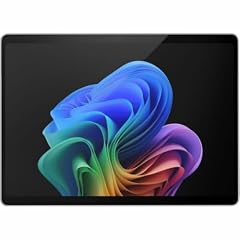
MST Surface Pro 11 Elite/32/512 Win 11 Platinum
- Operating system
- Windows
$3,392.79 (as of 11/02/2026 00:12 PST - Details)
This is a third-party MST configuration of the Surface Pro 11 with an Elite chip, 32GB memory and 512GB storage in the name, running Windows 11. For buyers who want a Surface Pro 11 but need more memory than the standard 16GB listings, it is the high-RAM version in this pool.
Pros
- 32GB memory in the listing
- 512GB storage in the name
- Windows 11 in the listing
- Elite processor tier in the name
Cons
- Third-party configuration, not a standard Microsoft retail listing
- Screen size not stated by seller
- Exact processor brand and display details not stated by seller
Good fit if
- Users who need 32GB RAM in a Surface Pro 11
- Buyers comfortable with a third-party configuration
Skip if
- Shoppers who want the standard Microsoft retail configuration
- Users who require seller-stated screen size
Verdict: Choose this MST configuration when you need a 32GB Surface Pro 11 from the pool.
12 Best Intel Core pick with keyboard included

Microsoft Surface Pro 7
- Screen size
- 12 in or more
- Storage
- 128 GB
- Keyboard included
- Yes
$999.00 (as of 11/02/2026 00:05 PST - Details)
The Surface Pro 7 is the older Intel option that lists a 12.3-inch touchscreen, a 10th Gen Intel Core i5, 8GB memory, 128GB SSD and a keyboard in the product name. Its keyboard-included configuration makes it a straightforward detachable for users who want an established Intel Surface at a smaller size.
Pros
- 10th Gen Intel Core i5 in the listing
- 12.3-inch touchscreen
- Keyboard included in the product name
- 128GB SSD and 8GB memory
Cons
- 128GB storage is the smallest in this guide
- 8GB memory is below the 32GB configurations in the pool
- Operating system not stated by seller
Good fit if
- Users who want Intel compatibility and an included keyboard
- Light typing and note-taking on a smaller Surface Pro
Skip if
- Heavy multitaskers who need 32GB RAM
- Users who require large local storage
Verdict: The Surface Pro 7 is a smaller Intel-based detachable for modest workloads.
How they compare
| # | Tablet | Screen size | Storage | Operating system | Cellular | Pen included | Keyboard included |
|---|---|---|---|---|---|---|---|
| 1 | Microsoft Surface Pro 2026 | 12 in or more | 512 GB or more | Windows | not stated | Yes | not stated |
| 2 | Microsoft Surface Pro 11 Copilot PC Bundle | 12 in or more | 512 GB or more | Windows | not stated | Yes | Yes |
| 3 | Microsoft Surface Pro for Business 2-n-1 Laptop/Tablet | 12 in or more | 256 GB | Windows | not stated | not stated | not stated |
| 4 | Microsoft Surface Pro 11 5G Cp 512Gb 13"/Plus/16Gb Platin W11P | 12 in or more | 512 GB or more | Windows | Yes | not stated | not stated |
| 5 | Microsoft Surface Pro 10 5G Intel Core Ultra 7 LTE 256 GB 33 cm | not stated | 256 GB | Windows | Yes | not stated | not stated |
| 6 | Surface Pro, 12-inch | 12 in or more | 512 GB or more | not stated | not stated | not stated | not stated |
| 7 | Microsoft Surface Pro 12 Qualcomm Snapdragon 512 Gb 30.5 Cm | not stated | 512 GB or more | Windows | not stated | not stated | not stated |
| 8 | Microsoft Surface Pro 10 Tablet | 12 in or more | 512 GB or more | not stated | not stated | not stated | not stated |
| 9 | Microsoft Surface Pro 10 Tablet | 12 in or more | 512 GB or more | Windows | not stated | not stated | not stated |
| 10 | Microsoft Surface Pro 10 Tablet | 12 in or more | 256 GB | not stated | not stated | not stated | not stated |
| 11 | MST Surface Pro 11 Elite/32/512 Win 11 Platinum | not stated | not stated | Windows | not stated | not stated | not stated |
| 12 | Microsoft Surface Pro 7 | 12 in or more | 128 GB | not stated | not stated | not stated | Yes |
Our selection method
The pool matched 12 Microsoft Surface tablets from the catalogue after similar configurations were folded together. Each pick below keeps the exact product name and key specs from that pool. The shortlist is not based on benchmark results or physical testing of the hardware; no unit was tested for this guide. Instead, picks were selected by comparing the stated specifications: OS, storage thresholds, pen and keyboard support, screen sizes, and available cellular or Wi-Fi capabilities. Prices are live and read from the store listing at the time the page loads, so they can move between visits. When a specification is absent from a listing, the guide says it is not stated by the seller rather than guessing.
What matters when choosing
Windows edition: Home, Pro and Copilot+ PC
Microsoft tablets in this pool are Windows detachables. Some listings only state Windows, while the Surface Pro for Business and one Surface Pro 10 configuration name Windows 11 Pro, and the Surface Pro 11 Copilot PC Bundle and Surface Pro for Business carry the Copilot+ PC label. If your employer or school requires a Pro edition, look for that wording in the product name before buying.
Memory and storage: what the capacity labels really mean
The Surface Pro 10 entries show how much storage can vary within one model line: this guide includes 32GB memory paired with 1TB, 512GB, or 256GB SSDs, while the older Surface Pro 7 has 8GB memory and a 128GB SSD. RAM matters for keeping many apps open, and local storage matters for offline libraries. If you run large analysis or virtual machines, favor 32GB configs; if you work from cloud storage, 256GB can be enough.
Keyboard and pen support
Two picks state pen input: the Surface Pro 11 Copilot PC Bundle includes the Slim Pen, and the Surface Pro 2026 OLED lists pen support. The bundle also includes the Flex Keyboard, and the Surface Pro 7 product name lists a keyboard. Most other picks do not state whether a keyboard or pen is included, so plan to add accessories if the listing does not name them.
Screen choice: 12-inch versus 13-inch OLED
The pool splits between 12-inch and 13-inch Surface Pro screens. The Surface Pro 2026 OLED is the only pick that names a 3K 120Hz OLED panel. If display quality and refresh rate drive your work, that is the model to compare against. If portability matters more, the 12-inch Surface Pro entries are smaller in the product name, though the seller does not always state resolution.
Mobile connectivity: 5G, LTE and Wi-Fi 7
For travel, the Surface Pro 11 5G listing is the 5G option in the pool, while the Intel Surface Pro 10 listing states LTE. The Surface Pro 12 Snapdragon listing instead names Wi-Fi 7 for users who want the latest home wireless standard. None of the other picks states cellular in its specs, so choose a 5G or LTE model when you need a connection outside Wi-Fi.
Power and USB charging
Modern ultraportables often charge over USB Type-C, and USB Power Delivery is the standard that allows flexible power over a single cable. The USB-IF explains that the revised Power Delivery specification supports up to 240W, which matters if you run a Surface Pro near its peak. For exact wattage, check the power adapter listed for your configuration; the pool entries do not state the included adapters.
Questions
Are all Microsoft tablets Windows tablets?
In this guide, yes: every pick is drawn from Microsoft-branded Surface Pro listings, and the structured specs list Windows for most of the pool. Some listings name Windows 11 or Windows 11 Pro. Microsoft also sells other device categories, but the catalogue matched for this guide is entirely Surface detachables.
Which pick has the most storage?
The Surface Pro 10 Tablet with 32GB memory and a 1TB SSD is the only pick that lists a 1TB internal drive. The next tier in this guide is 512GB, which appears in the newer Surface Pro entries, while two Surface Pro 10 configs and the business model list 256GB and the older Surface Pro 7 lists 128GB.
Should I buy a keyboard with a Surface tablet?
It depends on how you type. The Surface Pro 11 Copilot PC Bundle includes a Surface Pro Flex Keyboard and Slim Pen, and the Surface Pro 7 name lists a keyboard. Most other picks leave keyboard support unstated by the seller, so if you plan to type long documents, choose a configuration that names a keyboard or add one separately.
Are these tablets suitable for children?
Surface tablets run Windows and can be used by children with the right account settings, but parental oversight matters regardless of platform. The FTC's Children's Privacy pages explain COPPA, the rule that limits what online services can collect from children under 13. Set up a separate account for a child and review the privacy tools in Windows before sharing the device.
What is Copilot+ PC?
Copilot+ PC appears in the names of the Surface Pro 11 Copilot PC Bundle and the Surface Pro for Business listing. Microsoft uses the label for Windows devices with AI-capable processors such as Snapdragon X2 series silicon. For the current definition, check Microsoft's support pages; this guide relies on what the catalogue entries state.
Can I charge these over USB-C?
The USB Power Delivery specification is the common way modern tablets charge over a single USB Type-C cable; USB-IF describes the power range extending from 100W up to 240W in the revised specification. The pool entries do not state the exact charger included, so verify the adapter wattage before buying a third-party charger. A lower-wattage charger will usually still charge a tablet, but it may do so slowly.
Change log
- : First published.