
Best Apple Tablets in 2026: 12 Picks Compared on Specs
The iPad Pro 13-inch with the M5 chip is the most capable Apple tablet on the market today, pairing an Ultra Retina XDR display with the largest screen in the lineup. To rank the picks below we compared each model's chip, screen size, storage, and connectivity against the rest of the 19 Apple tablets in our pool, using only the maker's published specs and the seller's listing. Prices are live and change throughout the day.
12 picks from 47 tablets that match this guide with a price we can quote today. All prices are live and show when they were read.
Our picks in brief
Find your match
- For creative pros: If you need the most powerful Apple tablet for drawing, video editing, or 3D work, the iPad Pro 13-inch M5 with its large screen and LiDAR scanner is the pick. See pick 1
- For students: For note-taking and light productivity, the iPad 11-inch with the A16 chip offers a large screen and plenty of storage at a more accessible specification. See pick 8
- For reading and travel: The iPad mini A17 Pro is the most portable Apple tablet, with an 8.3-inch screen that fits in a bag. See pick 9
- For a child: The iPad 9th generation provides a simple, durable entry point with a 10.2-inch screen and 64GB storage for essential apps. See pick 11
12 picks, up close
1 Best overall

Apple iPad Pro 13-inch
- Screen size
- 12 in or more
- Storage
- 256 GB
$1,424.00 (as of 11/02/2026 04:37 PST - Details)
The M5 chip, the newest in the lineup, powers the largest 13-inch screen with Ultra Retina XDR and a LiDAR scanner for depth sensing. It outperforms the M4 models on raw performance and the 11-inch variants on screen area.
Pros
- M5 chip, the newest among the picks
- 13-inch Ultra Retina XDR display
- LiDAR scanner for spatial awareness
- 256GB storage
Cons
- Only 256GB storage for a 4K editing machine
- No stated weight
Good fit if
- Professionals editing video or 3D assets
- Users who want the largest screen with the latest chip
Skip if
- Anyone who wants a more compact tablet
- Those who rarely use the extra screen area
Verdict: The best Apple tablet for anyone who wants maximum performance and screen space.
2 Best for creative pros

Apple iPad Pro 11-inch
- Screen size
- 10 to 11.9 in
- Storage
- 512 GB or more
$1,343.00 (as of 11/02/2026 04:37 PST - Details)
The M5 chip with 512GB storage gives creative professionals space for large projects, while the 11-inch Ultra Retina XDR display keeps it more portable than the 13-inch model.
Pros
- M5 chip with 512GB storage
- 11-inch Ultra Retina XDR display
- More storage than the 13-inch M5 base
Cons
- Smaller display than the 13-inch Pro
- 512GB storage may feel limited for large 4K archives
Good fit if
- Photographers and videographers needing a portable pro device
- Users who want the latest chip with more storage
Skip if
- Those who prefer a larger screen
- Users who need more than 512GB for many large apps
Verdict: A well-rounded Pro model for creatives who want power and portability.
3 Best large-screen multitasking

Apple iPad Pro 13-Inch
- Screen size
- 12 in or more
- Storage
- 512 GB or more
$1,499.00 (as of 11/02/2026 04:37 PST - Details)
The 13-inch M4 Pro offers a 512GB storage tier and a large Ultra Retina XDR display, making it ideal for split-screen work and media editing. It is a step below the M5 in raw performance but still one of the most capable iPads.
Pros
- 13-inch Ultra Retina XDR display
- 512GB storage
- LiDAR scanner
Cons
- M4 chip is one generation behind the M5
- No stated weight
Good fit if
- Users who frequently run multiple apps side by side
- Professionals who need large local storage for projects
Skip if
- Those who want the absolute latest M5 chip
- Users who need more than 512GB for extensive media libraries
Verdict: A powerful large-screen Pro for multitaskers who do not need the newest M5.
4 Best for video streaming

Apple iPad Air 13-inch
- Screen size
- 12 in or more
- Storage
- 128 GB
$849.99 (as of 11/02/2026 04:37 PST - Details)
The 13-inch Liquid Retina display on the M4 iPad Air provides an immersive canvas for movies and shows, while the M4 chip handles high-resolution video smoothly. It is lighter than the Pro models and has a fingerprint-resistant design.
Pros
- Large 13-inch Liquid Retina display
- M4 chip for smooth playback
- Touch ID for secure unlock
Cons
- Only 128GB storage
- No LiDAR scanner
Good fit if
- Users who watch a lot of video on a big screen
- People who want a large display without Pro-level pricing
Skip if
- Those who need more than 128GB for offline movie libraries
- Users who require the Pro's advanced camera features
Verdict: A large-screen Air that shines for entertainment and general use.
5 Best for everyday use

Apple iPad Air 11-inch
- Screen size
- 10 to 11.9 in
- Storage
- 128 GB
$649.99 (as of 11/02/2026 04:37 PST - Details)
The 11-inch iPad Air with the M4 chip hits the sweet spot of screen size and performance for daily tasks, from web browsing to note-taking. It has a Liquid Retina display and Touch ID, making it a versatile choice for most users.
Pros
- M4 chip for smooth performance
- 11-inch Liquid Retina display
- Touch ID
- 128GB storage
Cons
- Only 128GB storage for media hoarders
- No LiDAR scanner
Good fit if
- Students and professionals who need a balanced tablet
- Users who want a modern Air without the Pro's heft
Skip if
- Those who need more than 128GB for large app libraries
- Users who prefer a smaller or larger screen
Verdict: The most balanced Apple tablet for most people.
6 Best for large local storage

With 1TB of storage, this 13-inch iPad Air is the highest-capacity Air in the lineup, suited for offline media, large documents, and creative libraries. The M2 chip keeps it responsive for demanding apps.
Pros
- 1TB storage, the most in this list
- 13-inch Liquid Retina display
- M2 chip
Cons
- M2 chip is two generations behind the M5
- No LiDAR scanner
Good fit if
- Users with extensive offline media collections
- Professionals who store large files locally
Skip if
- Users who need the newest M5 chip
- Those who do not require a large storage capacity
Verdict: The iPad Air to pick if storage capacity matters more than the absolute latest chip.
7 Best for heavy document work

Apple iPad Air 11-inch
- Screen size
- 10 to 11.9 in
- Storage
- 512 GB or more
$899.00 (as of 11/02/2026 04:37 PST - Details)
The 11-inch M2 iPad Air combines a fast processor with 512GB storage, making it suitable for large spreadsheets, PDFs, and multitasking. The Liquid Retina display is sharp and the M2 chip handles demanding productivity apps.
Pros
- M2 chip
- 512GB storage
- 11-inch Liquid Retina display
Cons
- Less powerful than the M4 models
- No LiDAR scanner
Good fit if
- Business users who juggle many documents
- Users who need a mid-tier Air with ample storage
Skip if
- Those who want the M4 for faster video rendering
- Users who prefer a larger 13-inch screen
Verdict: A solid choice for productivity with generous storage.
8 Best for students
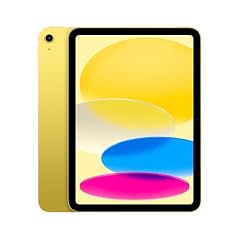
Apple iPad 11-inch
- Screen size
- 10 to 11.9 in
- Storage
- 128 GB
$427.00 (as of 11/02/2026 04:37 PST - Details)
The 11-inch iPad with the A16 chip offers a large Retina display and 128GB storage at an entry-level spec, perfect for note-taking, browsing, and light tasks. It supports Touch ID and is one of the more affordable new iPads.
Pros
- A16 chip for everyday tasks
- 11-inch Liquid Retina display
- 128GB storage
- Touch ID
Cons
- No LiDAR scanner
- Thicker and heavier than the Air and Pro lines
Good fit if
- College students taking notes in class
- Users who want a new iPad without Pro-level complexity
Skip if
- Those who need the M4 or M5 for heavy gaming
- Users who prefer a smaller tablet for portability
Verdict: The best new iPad for budget-conscious learners.
9 Best for travel

The iPad mini A17 Pro is the most portable Apple tablet with an 8.3-inch Liquid Retina display, making it easy to slip into a bag or hold in one hand. The A17 Pro chip ensures smooth performance for a compact device.
Pros
- 8.3-inch portable size
- A17 Pro chip
- 128GB storage
- Thin and light
Cons
- Smaller screen may feel cramped for productivity
- No stated weight
Good fit if
- Travelers who want a full tablet on the go
- Readers and commuters who need a pocketable device
Skip if
- Users who need a large screen for work
- Those who prefer a larger canvas for drawing
Verdict: The ultimate travel companion for light computing and media.
10 Best for reading

The iPad mini 6 with the A15 chip and 8.3-inch display is a beloved e-reader and web browser, offering a compact size that is comfortable for long reading sessions. It has 64GB storage, enough for digital books and light apps.
Pros
- Compact 8.3-inch display, ideal for reading
- A15 chip is still capable for basic tasks
- Touch ID
Cons
- 64GB storage is limiting
- Older chip than the A17 Pro mini
Good fit if
- Avid readers using eBooks and PDFs
- Users who want a small, lightweight tablet for simple apps
Skip if
- Those who need more than 64GB for media
- Users who require the latest performance
Verdict: A reliable choice for reading and basic browsing in a small package.
11 Best for kids

Apple iPad (9th Generation)
- Screen size
- 10 to 11.9 in
- Storage
- 64 GB
$464.20 (as of 11/02/2026 04:37 PST - Details)
The iPad 9th generation with the A13 chip and a 10.2-inch Retina display offers a simple, familiar experience at a low specification. It has 64GB storage, which is enough for educational apps and light games, and its design is straightforward for young users.
Pros
- Simple, well-known design
- 10.2-inch Retina display
- 64GB storage
- A13 chip is still fine for kids' apps
Cons
- Only 64GB storage for apps and media
- No stated weight
Good fit if
- Children using educational apps
- Families who want a durable, low-cost tablet
Skip if
- Users who need the latest iOS features
- Those who require more storage for many games
Verdict: A budget-friendly tablet that is easy for kids to use.
12 Best for legacy compatibility

Apple iPad Pro
- Screen size
- 10 to 11.9 in
- Storage
- 64 GB
- Cellular
- Yes
$770.62 (as of 11/02/2026 04:37 PST - Details)
The 10.5-inch iPad Pro, a previous model, still offers a 120Hz ProMotion display and A10X Fusion chip, which is useful for older apps and accessories. Its 64GB storage is modest, but it may appeal to users with older peripherals or businesses with one-off needs.
Pros
- 10.5-inch ProMotion display (120Hz)
- A10X Fusion chip
- Cellular support included
Cons
- 64GB storage is very limited
- Aged chip may not support the newest apps
- No stated weight
Good fit if
- Users with existing accessories and cables who need a spare tablet
- Those who want a secondary device for kiosk or specialty use
Skip if
- Anyone looking for a current-generation iPad
- Users who need more than 64GB storage
Verdict: A dated but functional Pro model for legacy use cases.
How they compare
| # | Tablet | Screen size | Storage | Operating system | Cellular | Pen included | Keyboard included |
|---|---|---|---|---|---|---|---|
| 1 | Apple iPad Pro 13-inch | 12 in or more | 256 GB | not stated | not stated | not stated | not stated |
| 2 | Apple iPad Pro 11-inch | 10 to 11.9 in | 512 GB or more | not stated | not stated | not stated | not stated |
| 3 | Apple iPad Pro 13-Inch | 12 in or more | 512 GB or more | not stated | not stated | not stated | not stated |
| 4 | Apple iPad Air 13-inch | 12 in or more | 128 GB | not stated | not stated | not stated | not stated |
| 5 | Apple iPad Air 11-inch | 10 to 11.9 in | 128 GB | not stated | not stated | not stated | not stated |
| 6 | Apple iPad Air 13-inch | 12 in or more | 512 GB or more | not stated | not stated | not stated | not stated |
| 7 | Apple iPad Air 11-inch | 10 to 11.9 in | 512 GB or more | not stated | not stated | not stated | not stated |
| 8 | Apple iPad 11-inch | 10 to 11.9 in | 128 GB | not stated | not stated | not stated | not stated |
| 9 | Apple iPad mini | 8 to 9.9 in | 128 GB | not stated | not stated | not stated | not stated |
| 10 | Apple iPad mini | 8 to 9.9 in | 64 GB | not stated | not stated | not stated | not stated |
| 11 | Apple iPad (9th Generation) | 10 to 11.9 in | 64 GB | not stated | not stated | not stated | not stated |
| 12 | Apple iPad Pro | 10 to 11.9 in | 64 GB | not stated | Yes | not stated | not stated |
Our selection method
We started with 19 Apple tablets listed on the store, covering the full range from the budget iPad 9th generation to the M5 iPad Pro. We shortlisted based on chip generation, screen size and technology, storage capacity, cellular support, and special features such as LiDAR. We excluded near-duplicate configurations to keep one representative pick per model. Prices shown are the live store prices at the time of reading; they are not recommendations based on any testing. We did not handle any of these units; all picks come from published specifications and the seller's descriptive text.
What matters when choosing
Chip generation and Apple Intelligence
The chip inside an iPad determines its ability to run multitasking, video editing, and the latest AI features. The M5 is the newest and fastest, found in the iPad Pro 13-inch and 11-inch models. The M4 appears in the iPad Air 11-inch and 13-inch, while the A16 and A17 Pro are used in the entry-level iPad and iPad mini. The A13 and A15 chips are older and still handle basic tasks. If you plan to keep the tablet for several years, a chip with a higher number, such as the M4 or M5, is better suited for future software updates.
Screen size and display technology
Apple tablets range from the 8.3-inch iPad mini to the 13-inch iPad Pro. Larger screens are better for video, split-screen multitasking, and drawing, while smaller ones are more portable. Display quality also matters: the iPad Pro models use Ultra Retina XDR with ProMotion and a high refresh rate, while the Air and standard iPad use Liquid Retina displays. The iPad mini 6 and older models use Retina or Liquid Retina panels. If you work with color-sensitive content, the Pro's XDR display offers higher brightness and contrast.
Storage capacity
Storage determines how many apps, photos, and offline videos you can keep. The smallest option in this list is 64GB, found on the iPad 9th generation and iPad mini 6. Most new iPads start at 128GB, while the Air and Pro models offer 256GB, 512GB, and even 1TB or 2TB. If you travel frequently without Wi-Fi, a larger storage capacity allows you to store media offline. There is no memory card slot on any Apple tablet, so choose storage based on your current and likely future needs.
Connectivity: Wi-Fi vs cellular
Every iPad supports Wi-Fi, but some models have a cellular option for data on the go. In this pool, the iPad 11-inch A16 (cellular), the iPad mini A17 Pro (cellular), and the iPad Pro 11-inch M5 (cellular) all include 5G connectivity. Cellular models let you use the tablet without a hotspot, which is convenient for travelers and remote workers. They also typically support GPS, which helps when the device lacks a Wi-Fi connection. If you only use your tablet at home or in places with reliable Wi-Fi, a Wi-Fi-only model saves weight and cost.
Energy efficiency and charging
Apple tablets are designed for battery longevity, but actual battery life depends on usage and screen brightness. The ENERGY STAR program recognizes computers, including tablets, that meet strict energy-efficiency criteria; looking for that label can help you choose a model that uses less power. For charging, all modern iPads use USB-C or Lightning connectors and support USB Power Delivery. The USB-IF explains that USB PD allows rapid charging at higher power levels, so using a compatible charger can reduce the time to full battery. Check the included charger and cable specifications to ensure you get the fast-charging benefit.
Kids' privacy and parental controls
If you are buying an iPad for a child, understand how the device handles personal data. The Federal Trade Commission enforces the Children's Online Privacy Protection Act (COPPA), which restricts what personal information online services can collect from kids under 13. Apple's Screen Time controls and parental settings allow you to limit app usage and purchases, but you should review them carefully. The FTC provides guidance for websites and apps directed to children; applying similar scrutiny to the apps you install on a child's tablet helps safeguard privacy. For a young user, a simpler model like the iPad 9th generation may be easier to manage.
Questions
Which Apple tablet has the longest battery life?
The pool listing does not include battery capacity or expected hours, so we cannot state which model lasts longest. Battery life depends on chip efficiency, screen size, brightness, and usage. The bigger Pro models typically have larger batteries, but they also power higher-resolution displays. For the most reliable estimate, check the manufacturer's official spec page for each model.
Is Apple Intelligence available on all Apple tablets?
Apple Intelligence is featured on the newer A17 Pro, M1, M2, M3, M4, and M5-powered iPads. In this list, the iPad mini A17 Pro, the iPad Air M2/M4, and the iPad Pro M4/M5 support it. The older models, such as the iPad 9th generation and iPad mini 6, do not have the chip to run it. If you need on-device generative AI features, choose an M4 or M5 model.
Can I use my iPhone charger to charge an Apple tablet?
Most modern Apple tablets use USB-C and support USB Power Delivery. An iPhone charger with a USB-C cable can charge an iPad Air or Pro, but the power output may be lower than the included charger, resulting in slower charging. The USB-IF describes how USB PD negotiates the highest safe power level; using the charger that comes in the box provides the fastest charging unless you have a higher-wattage USB PD adapter.
Do any of these tablets have a headphone jack?
The pool specifications do not list an audio jack for any of the tablets. The iPad 9th generation is the only model in this list that may have one, but the seller's text does not confirm it. None of the newer iPad Air, Pro, or mini models include a 3.5mm jack; they rely on Bluetooth audio or USB-C adapters.
Are these tablets suitable for drawing or note-taking?
Drawing and note-taking depend on stylus support. The iPad Pro and iPad Air models are compatible with the Apple Pencil according to Apple's documentation (not shown in the pool), while the standard iPad and iPad mini are also supported. The pool data does not list stylus compatibility, but the larger screens and faster chips on the Pro models make them more comfortable for detailed work. For heavy illustration, the 13-inch iPad Pro offers the most canvas area.
Change log
- : First published.